01
Form-to-email routing
Make sure each enquiry reaches the right person with the context needed to respond.
Enquiry workflow automation
Forms, emails, spreadsheets, CRMs and follow-ups often break in the gaps. I help service businesses make the enquiry workflow easier to see, run and improve.
These are signs the lead process around the website needs to be mapped and simplified before more tools are added.
The goal is to make each enquiry easier to capture, route, follow up and review without adding unnecessary complexity.
01
Make sure each enquiry reaches the right person with the context needed to respond.
02
Capture structured lead details once, without copying between tools manually.
03
Carry UTM, click ID and referrer details through the workflow so follow-up and reporting make sense.
04
Create lightweight reminders or status steps so good enquiries do not disappear after the first email.
05
Send the right alerts to the right people without flooding every channel.
06
Give the business a clear view of new, contacted, quoted, won and lost leads.
07
Remove repeated copy-paste tasks around enquiry intake, tagging and handover.
08
Use AI only where it saves time safely, such as drafting summaries or classifying enquiry intent for review.
These examples show workflow thinking around tasks, support states, admin steps and follow-up, which is usually where good enquiries start to leak.
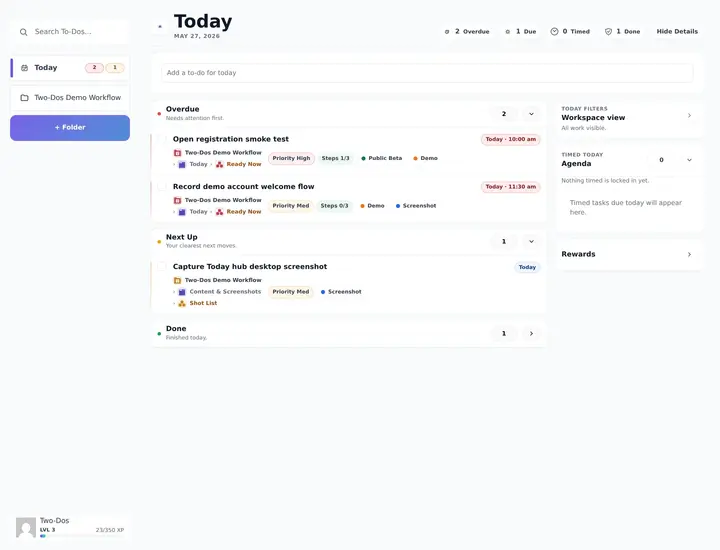
Workflow and follow-up system
A WordPress-based workspace for tasks, priorities, support states and follow-up work that would otherwise scatter across tools and memory.
Why it matters here: Enquiries and follow-up often fail for the same reason tasks fail: the next step is not visible enough.
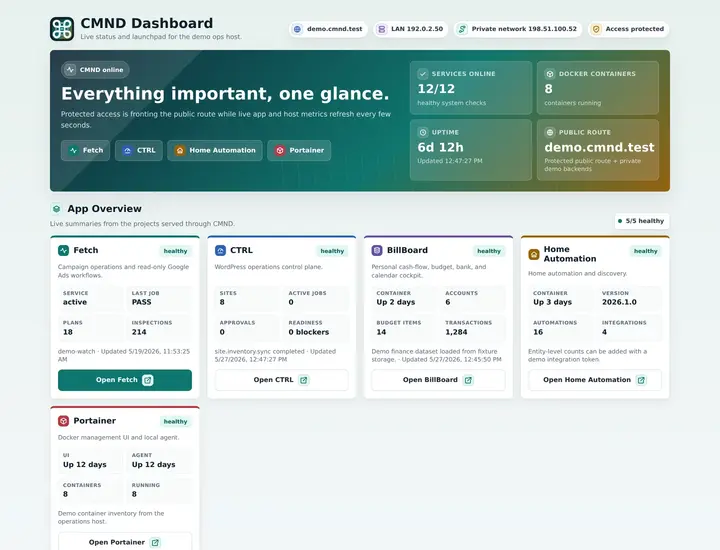
Support and service registry
A registry for service routes, status feeds, documentation and deployed app entry points so support context is not scattered.
Why it matters here: Scattered service context becomes easier to act on when it has one clearer place to live.
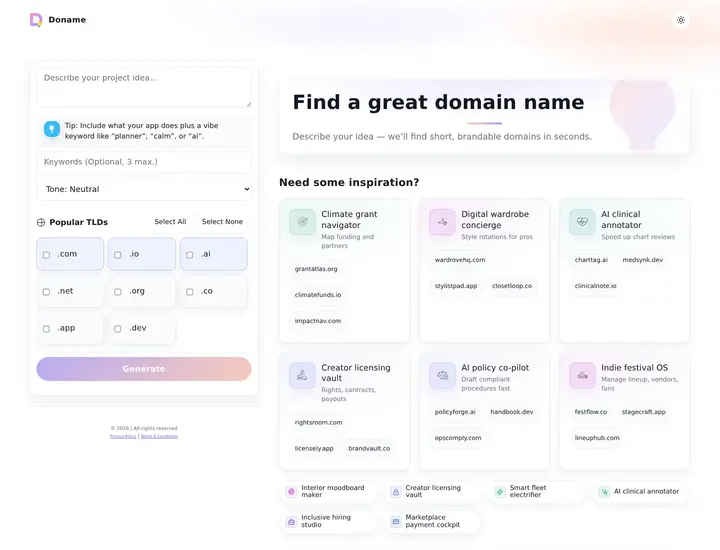
Domain and naming workflow
A domain idea generator with keyword and tone input, optional AI seeding, availability checks, analytics, caching and deep links.
Why it matters here: Workflows improve when repeated checks, dead ends and result states are easier to see.
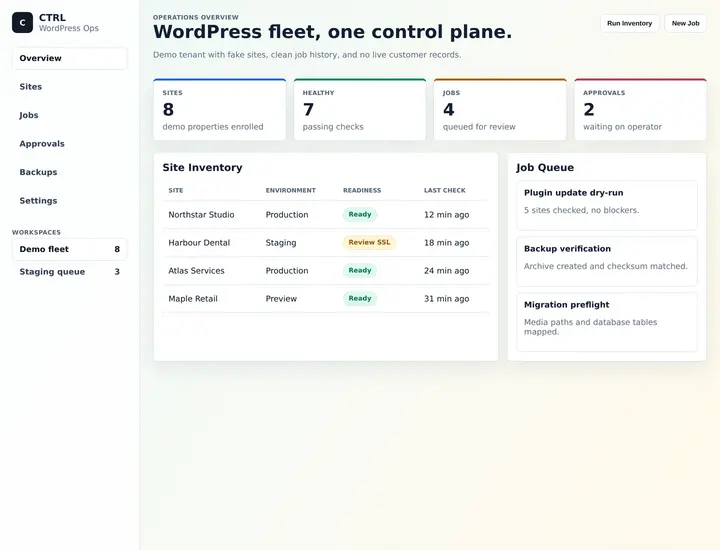
WordPress maintenance workflow
A maintenance and operations layer for keeping WordPress sites, jobs, state and follow-up work easier to see and manage.
Why it matters here: Ongoing work is easier to manage when support state and follow-up are visible.
Good first step
I will map the current enquiry/admin flow, identify where leads or tasks get stuck, and recommend the first practical automation.
Request a workflow mapThe aim is not to add more tools. It is to make the lead path easier to see and run.
See where enquiries arrive, where they go next and where they get lost.
Route forms, emails, CRM or spreadsheet capture around the real follow-up process.
Use reminders, statuses, notifications or AI summaries only where they reduce friction.
Leave a clearer view of lead source, status and next action.
The first win is usually making the existing enquiry path visible before automating around it.
Fit check
Scope check
Forms, email, CRMs, spreadsheets, notifications, reporting tools and lightweight internal systems are common parts of the workflow.
Yes, where they are the right fit. The tool choice depends on reliability, cost, complexity and who needs to maintain it.
Yes. Leads can be captured into a CRM, spreadsheet or private record with the fields needed for follow-up and reporting.
Not by default. AI is used cautiously for safe support tasks such as summaries, classification or draft notes for review.
Yes. The first useful version is often a small map, a cleaner form route and a clear follow-up status before deeper automation.
I trace where enquiries arrive, who needs to act, what gets copied, where status lives and where the first practical fix should be.
10 Start
I'll map where leads arrive, where they go next, what gets copied manually and where follow-up or reporting breaks down.
A rough version is fine; context is useful. Prefer email?
Email me directly