01
WordPress health check
Review updates, plugins, theme structure, hosting basics and obvious risks before changing anything.
WordPress rescue and support
Got a WordPress site that is slow, fragile, broken or hard to safely change? I help stabilise, clean up and support WordPress and WooCommerce sites that have outgrown their original setup.
These are the moments where a WordPress site needs careful triage rather than another rushed plugin change.
The goal is to make the site safer to change, easier to understand and less dependent on emergency patching.
01
Review updates, plugins, theme structure, hosting basics and obvious risks before changing anything.
02
Identify what is likely breaking the site and what can be safely tested, rolled back or replaced.
03
Check submissions, notifications and delivery paths end to end so enquiries are not silently lost.
04
Review checkout, order emails, payment/shipping plugins and customer-facing purchase paths.
05
Confirm the foundations are understandable, recoverable and safe enough to maintain.
06
Make sure key enquiry events and lead paths are not misleading the business.
07
Leave practical notes so future changes are less risky.
08
Create a calmer support path instead of repeating emergency patching.
These are not generic portfolio pieces. They show the kind of support, triage and operations thinking that sits behind a calmer WordPress rescue.
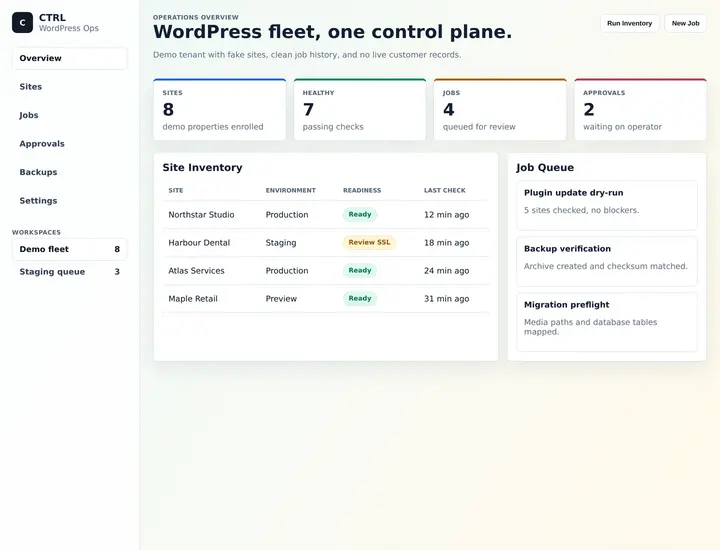
WordPress maintenance workflow
A maintenance and operations layer for keeping WordPress sites, jobs, state and follow-up work easier to see and manage.
Why it matters here: Rescue work is calmer when site state, support tasks and follow-up are visible instead of scattered.
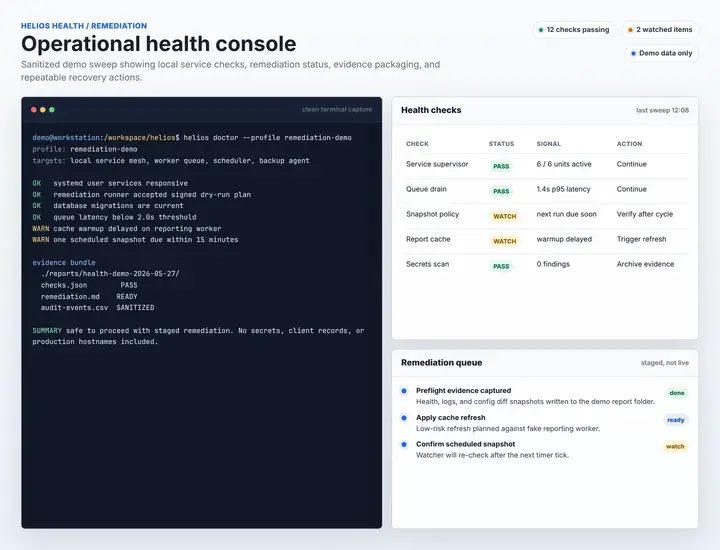
Technical rescue / health checks
A health-check and remediation suite for website hosting basics, support triage and repeatable technical rescue.
Why it matters here: Inherited technical problems need repeatable checks before anyone starts changing things.
Client testimonial
Any issue I have had with my website, emails or alike, he has resolved quickly and thoroughly.
Alana MuellerInner Balance Pilates Lara
Why it matters here: Urgent support still needs to feel calm, clear and thorough.
Good first step
I will review what is broken, what is risky, what can stay, and what should be fixed first.
Request a WordPress triageThe first job is to slow the panic down enough to make good technical decisions.
Check access, backups, hosting basics and obvious risk before changing anything.
Trace the issue through plugins, forms, emails, checkout, tracking or theme behaviour.
Make the smallest safe fix first, test it, and avoid turning one issue into three.
Leave notes, next steps and a calmer maintenance path.
If the setup is fragile, the first useful move is knowing what is safe, risky and worth fixing now.
Fit check
Scope check
Yes. Inherited WordPress sites are a common starting point. I begin by understanding the setup, risks and access before changing anything.
Yes. The first step is usually triage: forms, plugins, hosting, theme behaviour, recent changes, errors and the safest order of fixes.
Yes. I can review checkout paths, payment and shipping plugins, order emails, notifications and customer-facing purchase issues.
Usually, yes. After the site is understood and stabilised, I can recommend a calmer maintenance or support pathway.
It depends on the issue, but WordPress admin, hosting, DNS, email delivery, analytics or payment access may be needed. I will ask only for what is relevant.
I will tell you honestly. Some sites need a careful rescue first, some need staged cleanup, and some are safer to rebuild once the risks are clear.
10 Start
Send the messy version. I'll help work out what is broken, what is risky, what can stay and what should be fixed first.
A rough version is fine; context is useful. Prefer email?
Email me directly