01
System discovery and documentation
Trace what the tool does, where data lives and which pieces are risky to change.
Internal tools and inherited systems
When an internal tool, admin process or inherited system is too useful to throw away but too messy to trust, I can help document, stabilise and extend it.
These are signs an internal system should be documented and stabilised before anyone tries to extend or replace it.
The goal is to understand the system first, then stabilise or extend it without making the mess worse.
01
Trace what the tool does, where data lives and which pieces are risky to change.
02
Remove confusing steps and make the important actions easier to follow.
03
Add focused improvements without turning a useful tool into a rebuild by default.
04
Compare sources of truth and reduce duplicated or contradictory records.
05
Leave practical notes, access context and support paths for the next maintenance moment.
06
Fix risky foundations first so replacement decisions are made calmly, not in a panic.
These examples show how useful but messy tools can be documented, stabilised and made easier to support.
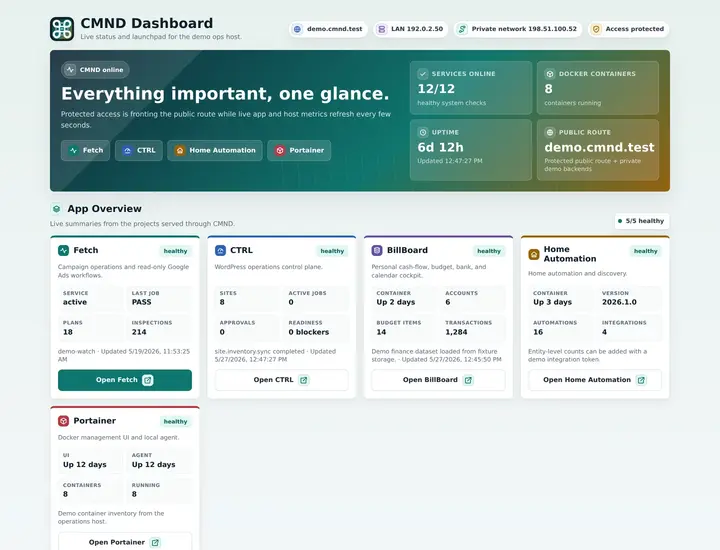
Support and service registry
A registry for service routes, status feeds, documentation and deployed app entry points so support context is not scattered.
Why it matters here: Inherited system work often starts by putting scattered context into one maintainable place.
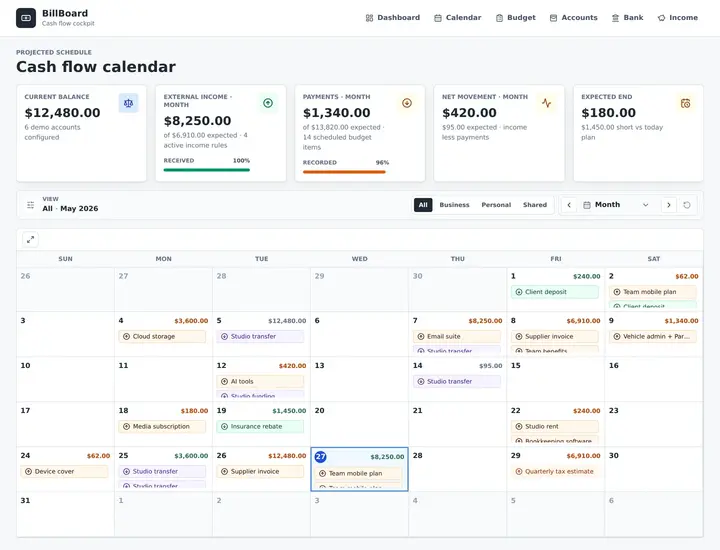
Cash-flow planning workflow
A local single-user cash-flow MVP built around calendar, budget, accounts and bank views.
Why it matters here: Spreadsheet-heavy planning needs clearer surfaces before it becomes safe to extend.
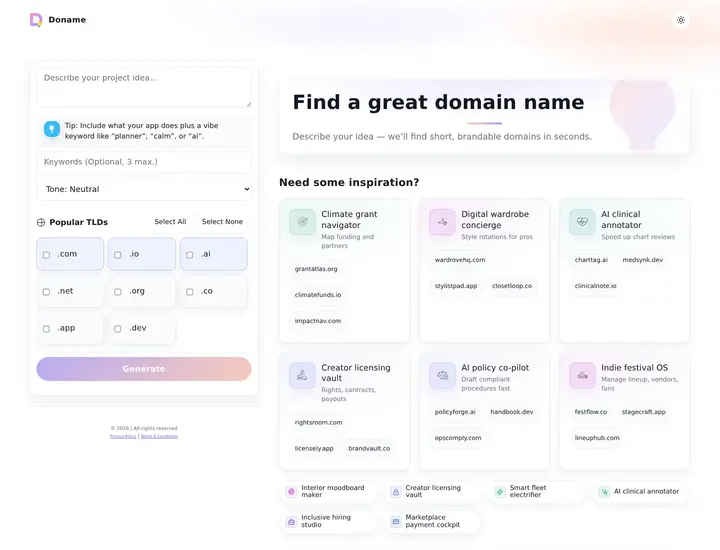
Domain and naming workflow
A domain idea generator with keyword and tone input, optional AI seeding, availability checks, analytics, caching and deep links.
Why it matters here: Useful tools often need clearer states, checks and result paths before more features are added.
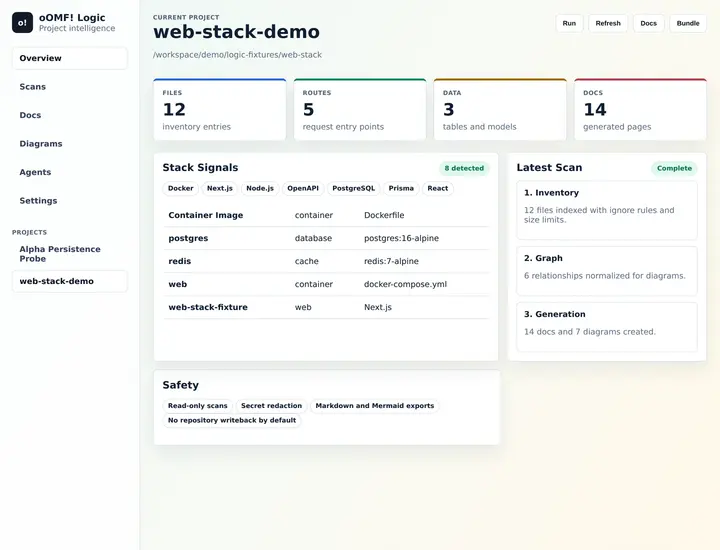
Inherited system documentation
A self-hosted platform for scanning software projects and generating documentation, architecture notes, diagrams and project bundles.
Why it matters here: Messy systems become safer to change when they can be inspected and documented first.
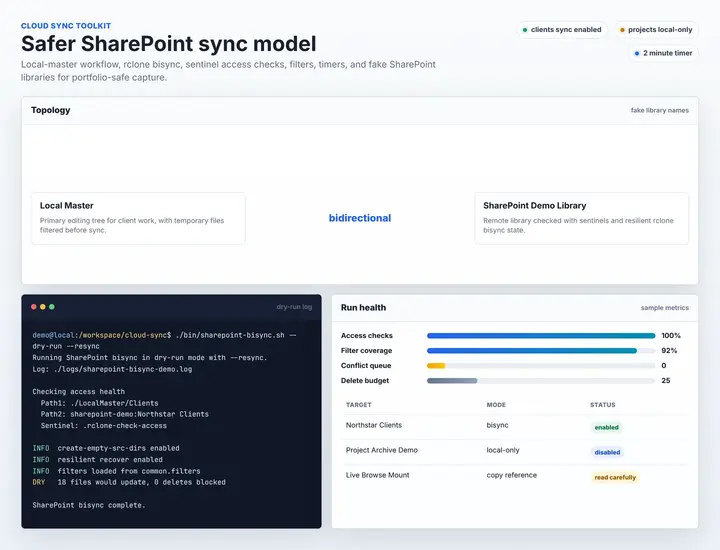
File workflow / sync safety
A safer local-master and SharePoint sync workflow with preflight checks, seed scripts, filters, logs and user-level timers.
Why it matters here: Fragile file or workflow systems need guardrails before they can be trusted.
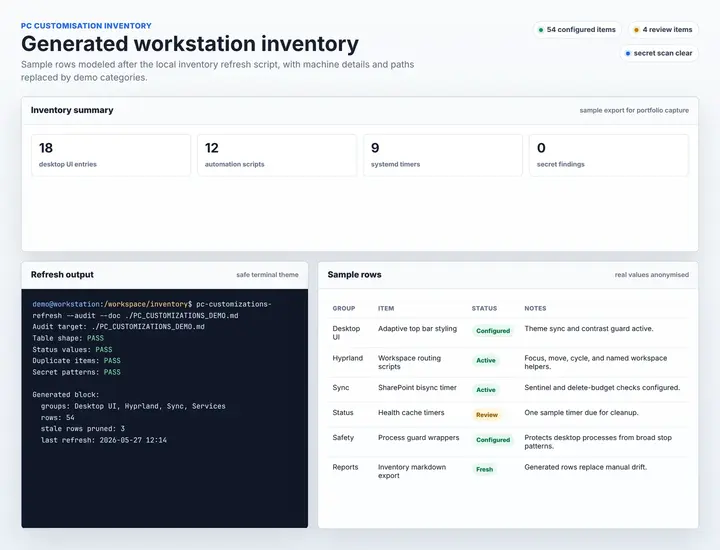
Technical inventory / documentation
A living inventory of customisations, services, scripts, automations and helpers with generated summaries and stale item tracking.
Why it matters here: Living documentation reduces the risk of useful scripts and customisations becoming forgotten infrastructure.
Good first step
I will inspect the tool or workflow, document what matters, identify the risky parts and recommend the smallest useful stabilisation path.
Request an inherited-system reviewInherited systems need patience first: understand the useful parts, then make careful changes.
Trace users, data, dashboards, scripts, admin steps and risky dependencies.
Make the system easier to understand before changing it.
Fix the smallest risky pieces before deciding whether to extend or replace.
Add practical improvements without making the inherited mess harder to maintain.
Inherited tools usually need discovery, documentation and stabilisation before anyone makes bigger decisions.
Fit check
Scope check
Yes. The first step is discovery and documentation so changes are made with less guesswork.
Usually stabilise first. Replacement decisions are better once the risks, users, data and workflows are understood.
Yes. Documentation, diagrams, access notes and handover context can be the first useful outcome.
Yes. Many inherited systems are a mix of spreadsheets, scripts, dashboards, admin pages and manual steps.
I will ask for the minimum useful access, which may include admin panels, repositories, hosting, spreadsheets, dashboards or sample data.
I will outline the smallest safe stabilisation path first, then separate rebuild, replacement and migration options clearly.
10 Start
I'll help document what exists, identify what is fragile and recommend the safest path to stabilise or extend it.
A rough version is fine; context is useful. Prefer email?
Email me directly